

TLS/SSL Certificate Issues
Overview
Section titled “Overview”The "TLS/SSL Certificate Issues" page lists problems found with the certificates your hosts present and with how those hosts negotiate encrypted connections. Each row is one issue with one certificate on one host and port. An expired or mismatched certificate shows visitors a full-page browser warning; weak protocols and ciphers expose connections to interception.
Open it from "Company Protection" > "Attack Surface Management" > "TLS/SSL Certificate Issues". The certificates themselves are listed under TLS/SSL Certificates.
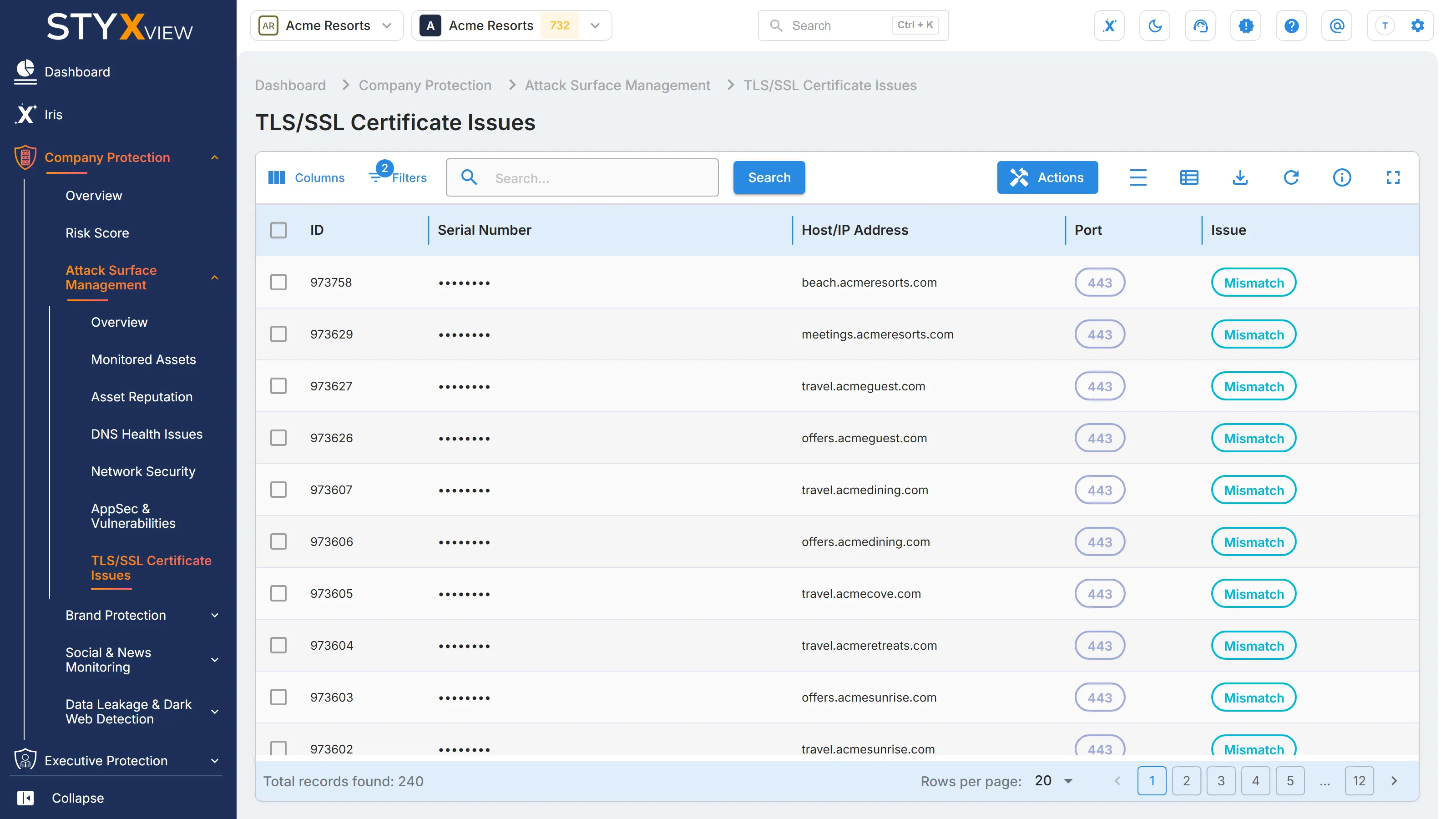
Columns
Section titled “Columns”| Column | What it shows |
|---|---|
| ID | The finding's permanent identifier. |
| Serial Number | The serial number of the certificate. |
| Host/IP Address | The host or IP address presenting the certificate. |
| Port | The port the TLS/SSL service runs on. |
| Issue | The problem found. See the table below. |
| Status | Where the finding is in the triage workflow. See Findings for each status. |
| First Seen | When StyxView first found the issue. |
| Last Seen | The most recent scan that still found it. |
| Severity Rating | How serious the issue is, from "Very Low" to "Very High". |
| Associated Risks | What the issue can lead to. |
| Assigned User | The user the finding is assigned to. |
| Latest Comment | The most recent comment on the finding. |
| Supported Protocols | The SSL and TLS versions the host accepts. |
"Issue Description" and "Issue Recommendation" are hidden by default. Add them with "Columns" to read what each issue means and how to fix it.
Issues
Section titled “Issues”| Issue | What it means | Default rating |
|---|---|---|
| Cert is expired | The certificate is past its validity period. | "High" |
| Expiring very soon | The certificate expires within 7 days. | "Very Low" |
| Expiring soon | The certificate expires within 30 days. | "Very Low" |
| Mismatch | The certificate's names do not match the host name it is served on. | "Low" |
| Self-signed | The certificate was not issued by a trusted certificate authority, so browsers do not trust it. | "Medium" |
| Incomplete certificate chain | The host does not send the intermediate certificates that link its certificate to a trusted root. | "Very Low" |
| Cannot be revoked | The certificate cannot be declared invalid if it is compromised. | "Low" |
| Lifetime longer than best practice | The certificate is valid for more than 398 days, longer than industry recommendations. | "Low" |
| Very Insecure Protocols | The host accepts SSL 2.0 or SSL 3.0. | "High" |
| Insecure Protocols | The host accepts TLS 1.0 or TLS 1.1. | "Low" |
| Weak ciphers | The host accepts weak encryption, such as DES, RC4, or 3DES. | "Medium" |
Renew a certificate before it expires: once it does, visitors see an error page and cannot connect securely. For a mismatch, install a certificate whose subject alternative names include the host name. For protocol and cipher issues, disable the old versions and weak ciphers in the server configuration and keep TLS 1.2 or later.
Working with findings
Section titled “Working with findings”By default the grid shows open findings, with the status "New", "Analyzing", "On Watchlist", "Response In Progress", or "Reappeared", and hides findings marked as false positives. Change "Filters" to see the rest.
To act on findings:
- Select the checkbox of one or more rows, then select "Actions". To act on one row, you can right-click it instead.
- Choose an action:
- "Update Status" moves the findings through the triage workflow.
- "Assign To" assigns them to a user.
- "Comment" adds a note.
- "Mark as False Positive" records that a finding is not a real issue. "Unmark as False Positive" reverses it.
- "Accept Risk" records a decision to leave the issue unfixed: the finding's status becomes "Closed Without Action", so it leaves the open list, and it keeps being detected. "Undo Accept Risk" sets it to "Reappeared" and adds it to the watchlist. See Accept Risk.
- Enter the context the dialog asks for, then select "Confirm".
Select a row to open the finding's detail page. See Findings.
Third parties
Section titled “Third parties”For a third party you monitor, open "Third Party Risk", the third party's name, "Risks", then "TLS/SSL Certificate Issues". The grid lists that third party's issues, and "Actions" offers "Create Risk", which raises a risk from the selected findings in the Risk Register.