

Subscriptions
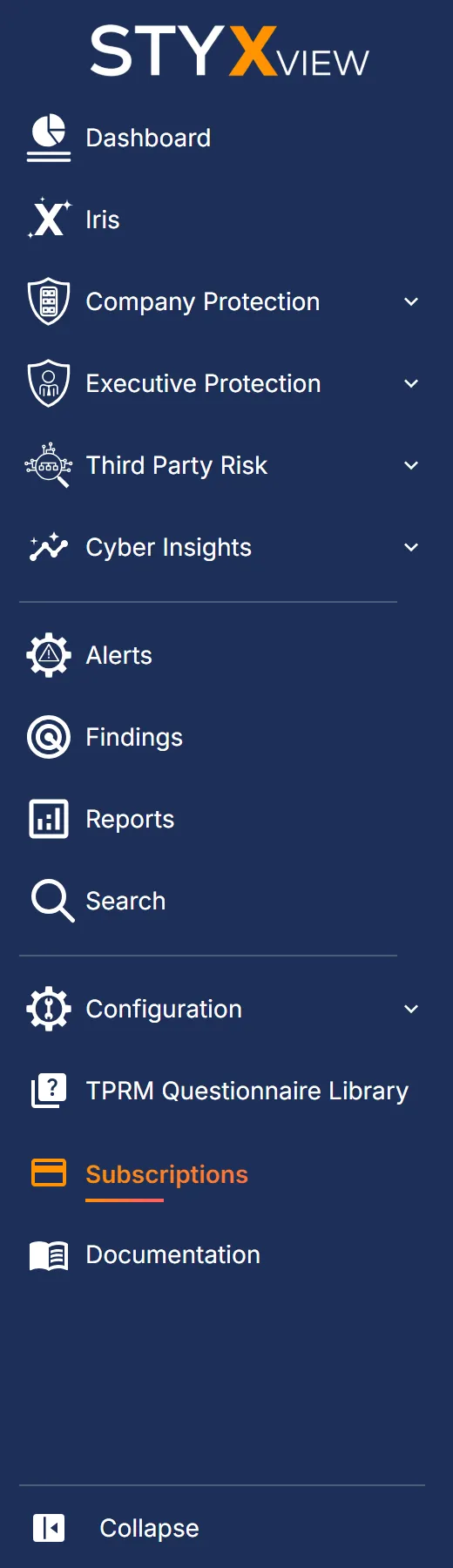
The "Subscriptions" page shows the plan of the selected account: what it covers, how much of each limit you have used, and when the term ends. The page is read-only. To change your plan, contact your account manager.
Navigation Path
Section titled “Navigation Path”In the left menu, select "Subscriptions". Only users with the Admin role see this page.
Your Plan
Section titled “Your Plan”The top of the page summarises the plan.

| Field | Description |
|---|---|
| Your Plan | The plan tier and the number of products in the plan. |
| Term | The start and end dates, with the days remaining. For a plan that has ended, how long ago it ended. For a plan that has not started, its start date. |
| Applies to | The accounts the plan covers, for example All Accounts. |
| Status | Active, Starts soon, Ended, Paused, Inactive, or Cancelled. |
When the plan has 90 days or less to run, the page says when it ends and that your account manager has been notified about renewal. When the plan has ended, the page says so and asks you to contact your account manager to renew it.
If no plan is recorded for the account, the page says so. Contact your account manager if you expect to see one.
What Your Plan Covers
Section titled “What Your Plan Covers”This section lists every solution Styx sells, with the limits your plan sets for each. Choose how to read it:
- "By solution": one group per solution, with its limits and your usage.
- "By limit": one row per limit, with a column for each solution, so you can see which solutions grant it.
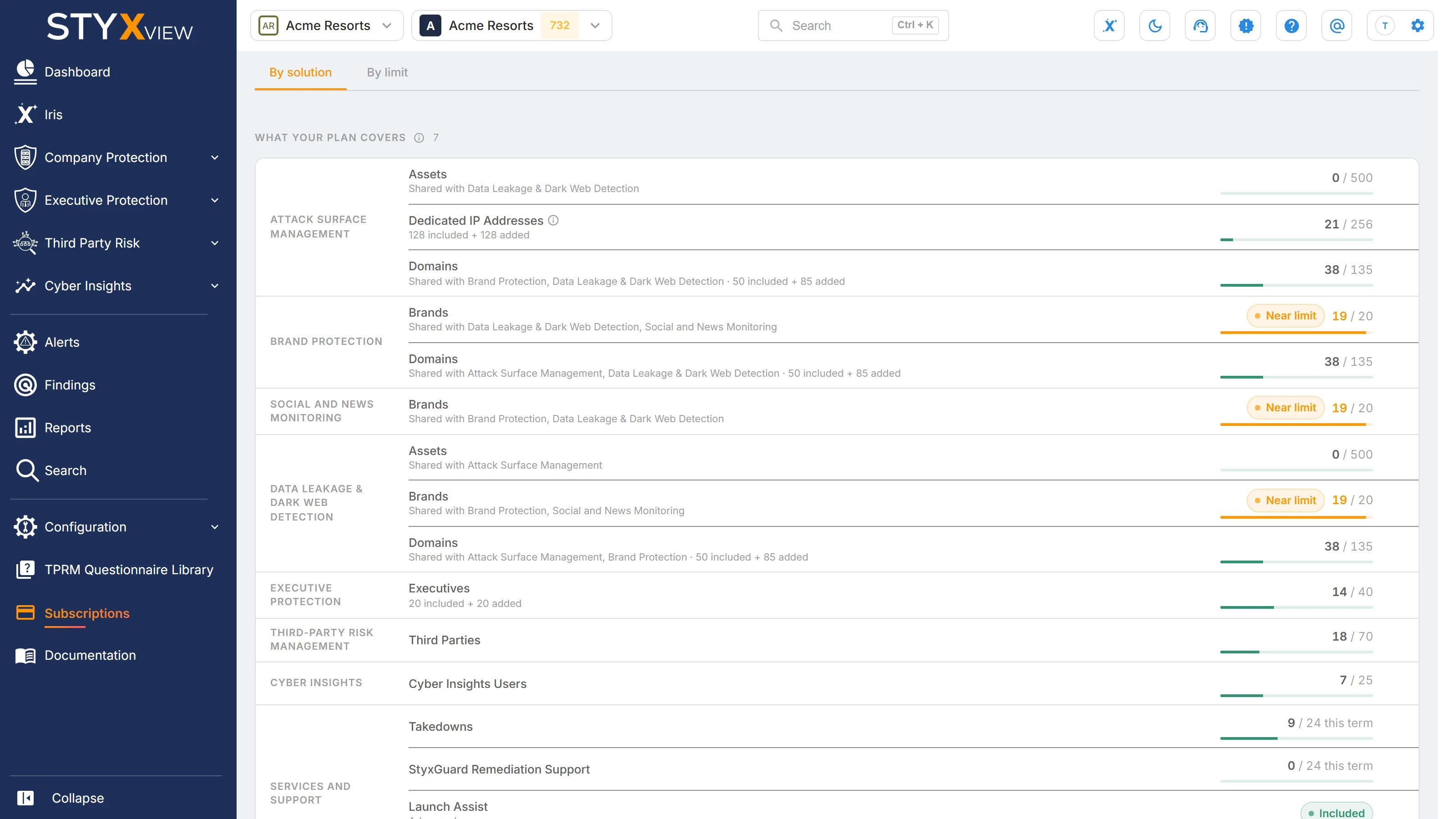
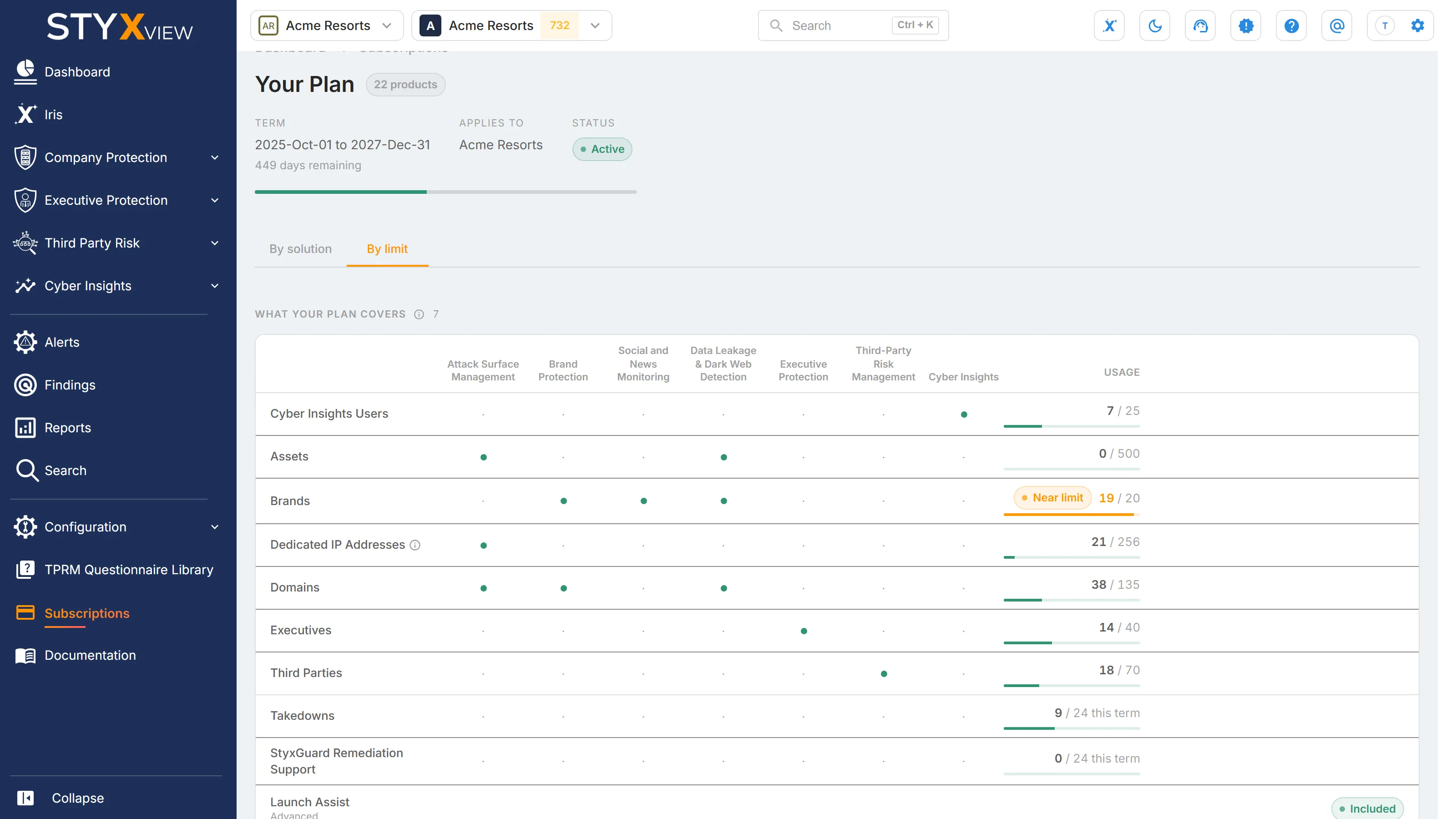
Each limit shows:
-
What it counts, for example domains, assets, IP addresses, executives, third parties, brands, takedowns, or users. Hover over the name for a description.
-
Your usage against the limit, for example
42 / 50, or "no limit" when the plan sets none. Limits marked "this term" are an allowance for the current term, such as takedowns. The others count what you monitor now. -
A usage bar, and a status when it needs attention:
Status Meaning Near limit You have used more than 85 percent of the limit. Over plan You have used more than your plan allows. Not in your plan StyxView is counting this, but your plan does not include it.

Some details to know:
- A limit granted by more than one solution appears under each of them, marked "Shared with" the others. It is one allowance, not several.
- When a limit has been increased, it shows how much is included and how much was added.
- IP address ranges are counted one address at a time, so the count can be higher than the number of ranges you added.
- Select a limit to open the page where you manage what it counts, for example "Policies" for domains or "Users" for users.
A solution that is not on your plan is marked "Not on your plan". Talk to your account manager about adding it. Services such as takedown services and support are listed under "Services and support", marked "Included" when your plan has them.