

Payment Card Data
Payment Card Data lists payment cards found on dark web marketplaces and other sources whose numbers start with one of your organization's Bank Identification Numbers (BINs). Each row is a finding of the type "Compromised Credit Card". Use it to find the cards to block or reissue.
You enter your BINs in your Company Protection policy, under "Credit Cards" (see Policies). StyxView only finds cards that match a BIN you have entered.
Where to find it
Section titled “Where to find it”Select "Company Protection" > "Data Leakage & Dark Web Detection" > "Payment Card Data".
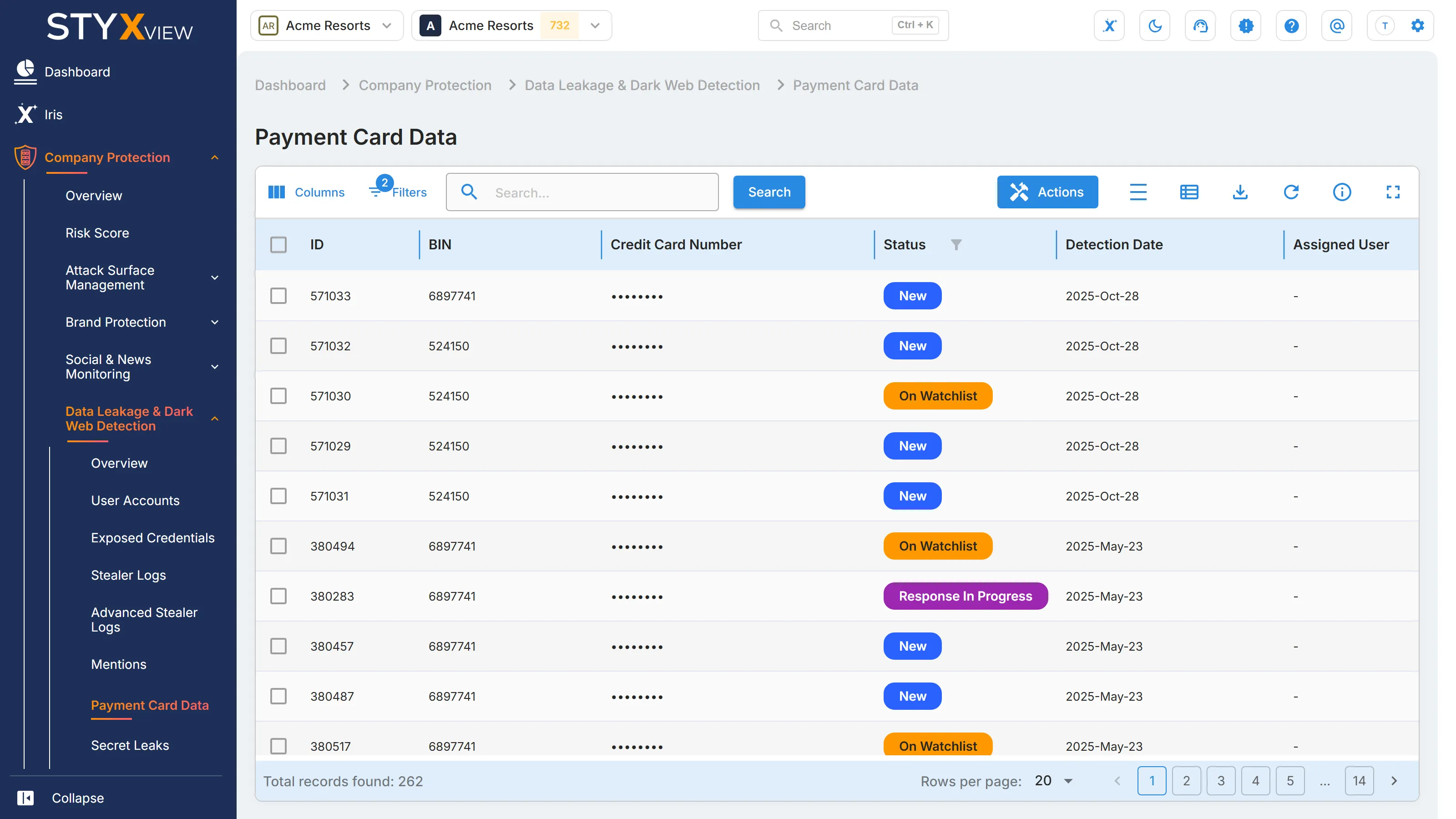
Columns
Section titled “Columns”| Column | What it shows |
|---|---|
| "ID" | The finding ID. |
| "BIN" | Your BIN that the card number matched. |
| "Credit Card Number" | The card number, in full. |
| "Status" | The finding status. See Finding statuses. |
| "Detection Date" | When StyxView recorded the card. |
| "Assigned User" | The user the finding is assigned to. |
| "Latest Comment" | The most recent comment on the finding. |
The list opens filtered to open finding statuses.
Working with findings
Section titled “Working with findings”Select one or more rows, then select "Actions" for "Update Status", "Assign To", "Comment", or "Mark as False Positive". See Finding statuses and User Actions.
Select a row to open the finding's page. It shows the "BIN" and "Credit Card Number", and under "Records" each source where the card was found, with its "Title", "Link", and "Preview". To export the list, select the export icon, then "Download as CSV" or "Download as Excel".