

Mark as False Positive
"Mark as False Positive" records that a finding is not a real issue: detection matched something that is not what it seems. For example, a vulnerability matched by software version on a host where the fix was backported, or a domain that only looks like yours by chance. If the issue is real but you choose not to fix it, use "Accept Risk" instead. If the asset is yours, use "Mark as Legitimate".
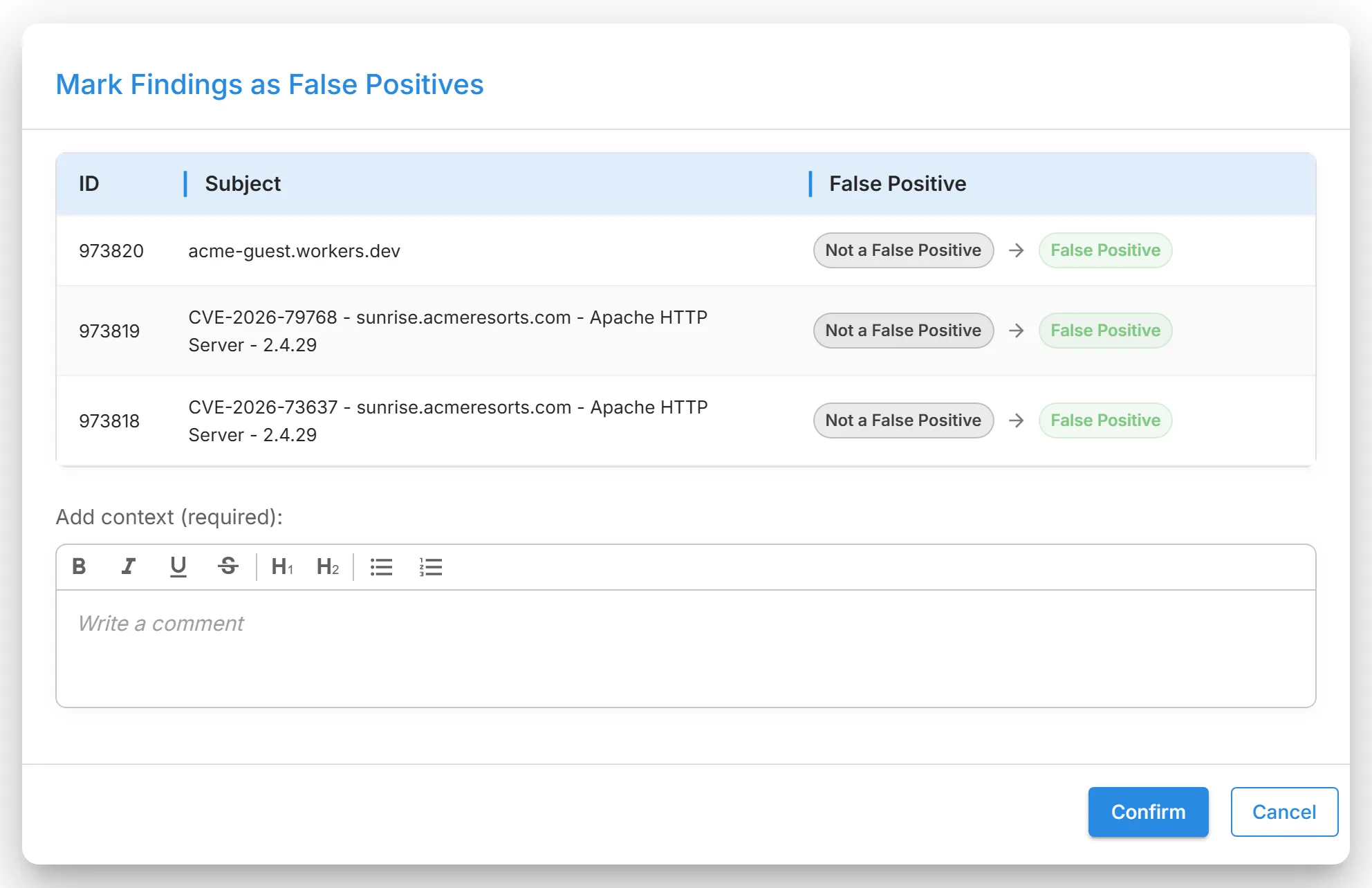
- Status: becomes "Closed Without Action". The finding gets the "Marked as False Positive" mark and leaves the watchlist.
- Score and severity: the finding stops counting toward the Digital Risk Score. Severity does not change.
- Default views: hidden. Grids hide false positives by default; use "Filters" to show them.
- Where: every finding grid, the Findings page, and every finding's detail page.
- Who: every role in a grid; Admins and Analysts on a detail page.
- Undo: "Unmark as False Positive". The finding reopens with the status "Reappeared", counts toward the score again, and is put on the watchlist.
From the "Lookalike Domains" grid or a lookalike domain's detail page, Brand Protection also records the domain as a false positive, so it leaves the module's counts and reports. From the Findings page or "Triage & Watchlist", only the finding changes.
Grids whose rows are not findings, such as "Phishing & Evil-Twin Websites", "Scam Exposition Websites", "Web Referral Monitoring", and "Web Beacon Monitoring", ask you to confirm only and take no context.
Example: a vulnerability is reported for your web server's version, but your hosting provider backported the fix. Mark it as a false positive with "Fix backported by the hosting provider, see ticket 4821".
Where finding actions live, and what holds for every one of them: Finding Actions.