
Third Party Risk Overview
Two pages give you the view across all your third parties: "Overview" summarises their risk, and "Third Parties" lists them one per row. Both are under Third Party Risk in the sidebar.
Ratings on both pages come from each third party's Digital Risk Score, on a scale of 0 to 1000 where higher is worse: "Low" below 200, "Medium" from 200 to 399, "High" from 400 to 749, and "Very High" from 750.
Overview
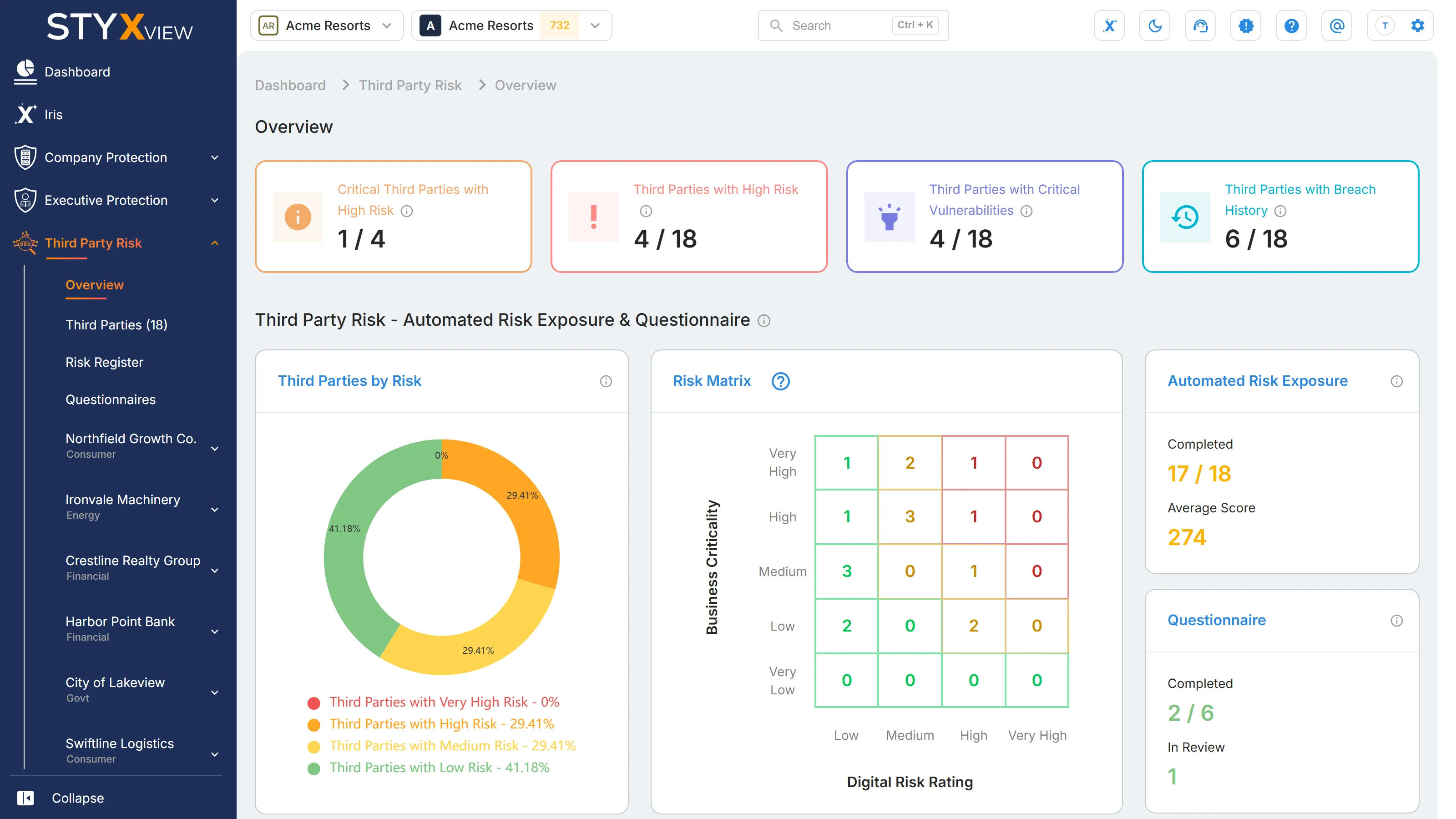
Section titled “Overview”Third Party Risk → Overview opens with four tiles. Each shows a count against a total.
| Tile | What it counts |
|---|---|
| "Critical Third Parties with High Risk" | Third parties with a "Business Criticality" of "Very High" whose Digital Risk Score is above 400, out of all third parties rated "Very High". |
| "Third Parties with High Risk" | Third parties whose Digital Risk Score is above 400, out of all your third parties. |
| "Third Parties with Critical Vulnerabilities" | Third parties with at least one host or IP address whose most severe vulnerability is "Critical", out of all your third parties. |
| "Third Parties with Breach History" | Third parties with at least one domain found in a data breach, out of all your third parties. |
Below the tiles, the section "Third Party Risk - Automated Risk Exposure & Questionnaire" shows:
- "Third Parties by Risk": a chart of your third parties by risk rating, with the percentage in each rating.
- "Risk Matrix": your third parties plotted by "Business Criticality" (vertical axis) against "Digital Risk Rating" (horizontal axis). Each cell shows how many third parties fall into it. Select a cell to open "Third Parties" filtered to those third parties.
- "Automated Risk Exposure": "Completed" is the number of third parties with a Digital Risk Score, out of all your third parties. "Average Score" is the average Digital Risk Score across them.
- "Questionnaire": "Completed" is the number of questionnaires completed, out of all questionnaires sent. "In Review" is the number with the status "Under Review" or "Sent Back to TP".
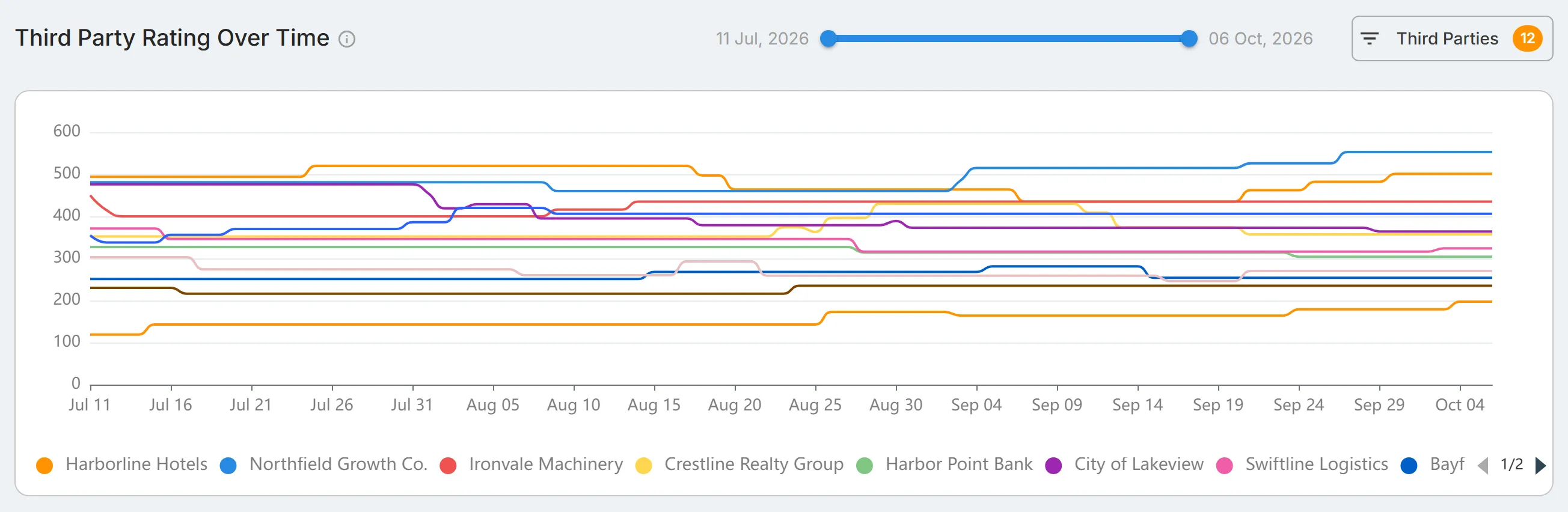
At the bottom, "Third Party Rating Over Time" charts each third party's Digital Risk Score by day. Drag the ends of the slider to change the date range, and use "Third Parties" to choose which third parties are shown.