

Scam Exposition Websites
Scam exposition websites
Section titled “Scam exposition websites”This grid lists websites that may pose a threat to your brand, such as phishing sites, scam pages, and domains impersonating your organization. Tracking them lets your team prioritise threats, investigate incidents, and protect your reputation and your users.
Examples of flagged sites:
- websites impersonating your brand or organisation;
- sites hosting scam content, such as fake job offers or fraudulent financial services;
- domains designed to mislead visitors and capture sensitive information.
To open it, select "Company Protection" in the left menu, then "Brand Protection", then "Scam Exposition Websites".
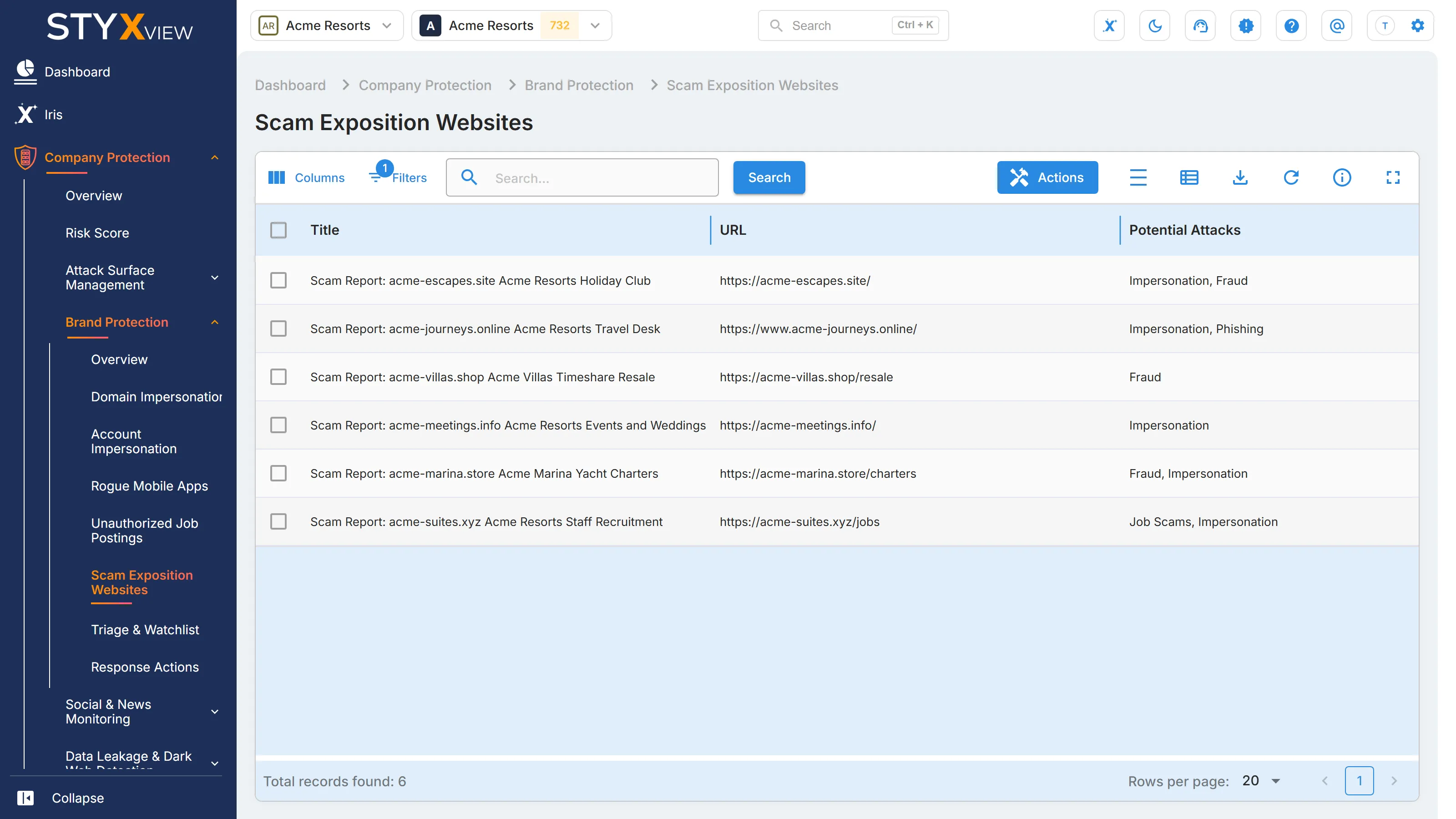
Columns
Section titled “Columns”| Column | What it shows |
|---|---|
| "Title" | A descriptive name for the scam or the brand being impersonated. It often includes a report identifier. |
| "URL" | The address of the website, with icons to copy it or open it. |
| "Potential Attacks" | The kinds of threat identified, such as "Impersonation", "Job Scams", or "Brand/Reputational Damage". |
| "First Seen" | When StyxView first detected the website. |
| "Severity Rating" | How serious the threat is judged to be. |
The grid opens sorted by "First Seen", newest first.
Actions
Section titled “Actions”This grid has no triage status. Its only action is "Mark as False Positive": select one or more rows, select "Actions", then "Mark as False Positive", and confirm. Records marked as false positives are hidden by default.
Select a row to open its detail page, which shows the "Title", "URL", "Potential Attacks", "Severity", and "Date Detected", with a "Mark as False Positive" button.